
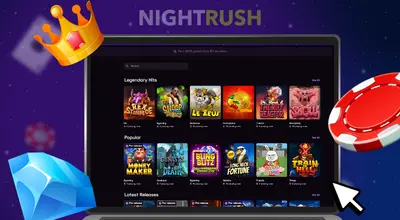
Mobile casino applications Canada users encounter are not always downloadable apps. In many cases, the experience is a browser-based site designed for smartphones and tablets, which can be easier to access but may offer different security, navigation and update considerations than a native application. The lussurio casino website is described as an instant-play service for modern mobile browsers, with game browsing, live content, account tools and cashier access available without a desktop computer. The key question is therefore not simply whether an app exists, but whether the mobile route is clear, stable and suitable for your device.

Start by identifying what “mobile app” actually means
A native mobile application is downloaded from an official app marketplace and installed on a phone or tablet. It normally has a dedicated icon, receives updates through the operating system and may use device-specific functions. A mobile website, by contrast, opens in Safari, Chrome or another browser. It can still be designed responsively, remember account sessions and provide many of the same functions, but it remains browser-based rather than installed software.
This distinction matters because casino directories sometimes use “mobile app” as a broad description for any service that works on a phone. Available information does not establish a verifiable iOS App Store or Android Google Play listing for this service. Users should therefore avoid assuming that an app-store search result, an APK download or an advertisement represents an official product. The safer starting point is to identify the operator’s stated mobile route and check whether it is a normal browser address.
Browser access can be perfectly practical for occasional use. It avoids consuming storage, does not require marketplace approval and generally works across recent phones and tablets. However, the experience depends on browser compatibility, screen size, connection quality and the way the site handles pop-ups or redirects. If a page asks you to install an unfamiliar file, disable security settings or provide unusual permissions, stop and verify the source before continuing.

Use the browser route without losing everyday usability
For a smoother mobile session, begin with an up-to-date operating system and a current browser. A larger phone screen or tablet can make category menus, game information and account pages easier to read, while a strong Wi-Fi or mobile-data connection reduces loading interruptions. Browser zoom should normally remain at its default setting, since excessive enlargement can hide buttons or force important controls off screen.
Navigation should be tested before any account or payment action. Look for a clearly labelled menu, a predictable back function and a visible route to account settings. Game-category browsing is particularly important on a smaller screen: a useful interface should allow you to move between slots, table games, live content and other categories without repeatedly returning to the home page. Search and provider filters can also reduce scrolling when a catalogue is extensive.
Account and cashier pages deserve separate attention. Confirm that balances, transaction history, verification notices and support options are readable rather than compressed into tiny panels. Do not rely on a browser’s saved password if you share the device. Instead, use the phone’s reputable password manager or another secure method, and lock the handset with a passcode or biometric control. A convenient interface is helpful, but convenience should not override account protection.
Check security before treating a mobile site like an app
Mobile use can expose information through more than the casino page itself. Notifications may appear on a locked screen, an unsecured public network may expose browsing activity, and unofficial apps can request access to contacts, storage or messages that has no obvious connection to account use. A browser service normally needs far fewer device permissions than a downloaded application, which is one reason to be cautious about installation prompts.
Before entering personal or payment information, inspect the address bar and confirm that the connection is encrypted. Avoid links received through unsolicited messages, social media advertisements or unknown app listings. Type the known address manually or use a trusted bookmark. The Canadian government’s Get Cyber Safe guidance offers general advice on passwords, phishing and protecting accounts online; it does not confirm the features or status of any particular gambling service.
Separate passwords are especially important where an account includes identity documents, payment records or contact details. Enable multi-factor authentication if the operator genuinely offers it, but do not treat the absence of that option as a reason to install an unofficial security tool. Keep screenshots of important account messages only when necessary, and remove downloaded identity documents from the phone’s general photo gallery after a legitimate verification process is complete.
Compare a browser experience with a dedicated download
A browser-based route is usually the simpler choice when you change devices, use both a phone and tablet, or do not want another installed application. Updates occur on the website rather than through an app store, and storage use is minimal. It may also be easier to stop a session by closing the browser. The trade-off is that browser tabs, cached data and notifications can make the experience less consistent from one session to another.
A genuine native app can offer quicker access, a dedicated icon and an interface tailored to a particular operating system. It may also handle screen orientation or device performance more smoothly. Those advantages only matter when the application comes from a verifiable official source. An APK supplied through a third-party page carries additional risks, including altered software, malicious code and fake login screens. If no official listing can be confirmed, the browser should be treated as the known mobile option.
Consider the practical task rather than the label. For occasional browsing, a responsive site may be sufficient. For long sessions, live content or frequent account management, readability, battery use and connection stability may matter more. Test menus and information pages without committing funds, and check the operator’s current terms for account, verification and device requirements. A short usability check cannot establish payout reliability, game fairness or legal availability.
Make mobile access fit your own boundaries
Mobile devices make access portable, which can be useful but can also make gambling easier to initiate impulsively. Before using any service, decide when and where mobile access is acceptable. Avoid using a phone while driving, working, studying or caring for someone. Public spaces can also create privacy problems if account balances, messages or payment screens are visible to other people.
Account controls may include deposit, wagering, loss or session limits, reality checks, cooling-off periods and self-exclusion. These tools are most useful when arranged before a problem develops, rather than after an unexpectedly long session. Read the confirmation message after changing a limit and note whether the setting applies immediately or only after a delay. If the interface makes a control difficult to locate, contact support and keep a record of the request.
Notifications should be reviewed as carefully as limits. Promotional alerts can encourage repeated visits, while browser permissions may place reminders on a device used for other parts of life. Disable non-essential notifications and remove saved payment details where appropriate. Never describe gambling as income or rely on a mobile app to solve financial pressure. If play stops feeling optional, use the available restriction tools and seek independent support in your province.
Frequently asked questions about mobile access
Is a downloadable app confirmed for this service?
No verifiable iOS App Store or Google Play listing is established in the available information. The confirmed mobile route is an instant-play website compatible with modern smartphone and tablet browsers. Treat any third-party download as unverified, and do not install an APK unless its official source and authenticity can be independently confirmed.
Can a mobile browser provide the same account functions?
The described mobile website includes game access, live content, promotions, account access and cashier functions. Exact layouts can vary by device and browser, and some pages may require additional verification. Check that account, support and transaction information is readable before relying on mobile access for an important action.
What should I do if the mobile page behaves unexpectedly?
Stop before entering credentials or payment information. Close suspicious pop-ups, check the address, update the browser and try a trusted connection. Do not disable security features or install unknown software. If the issue continues, contact the operator through its published support route and document the error without sharing unnecessary personal information.